Using your Ethernet cable, connect your extender and PoE adapter.
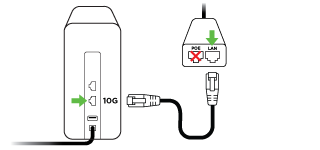
Desk extender: 10G port
PoE adapter: LAN Ethernet port
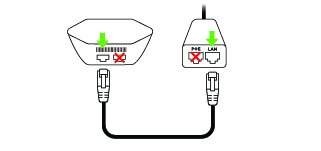
Hexagon extender: port with globe icon or either port if there’s no globe icon
PoE adapter: LAN Ethernet port
If you received the optional network switch to connect more devices directly to Ethernet, connect it to the second Ethernet port on the extender connected to the PoE adapter or either port of any additional extender(s) you install.
It’s possible your extender will need to update before it connects. (This can take up to 10 minutes.)