
Streaming Apps
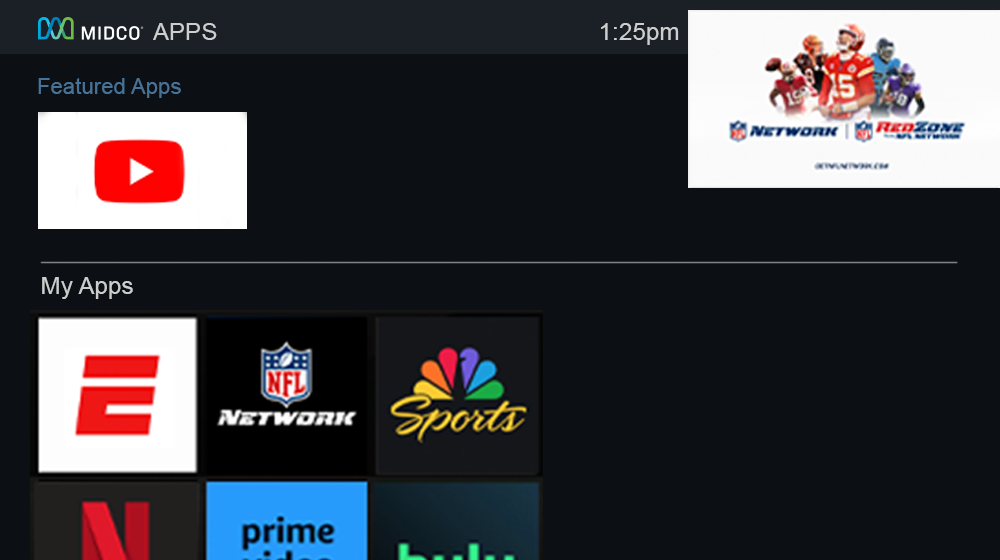
Your Community TV services provided by your property give you access to MidcoTV where you can connect all your favorite streaming and music apps in one place. Never worry about switching inputs on your TV to access an appChoose from the 3,000+ apps available on Google Play.™
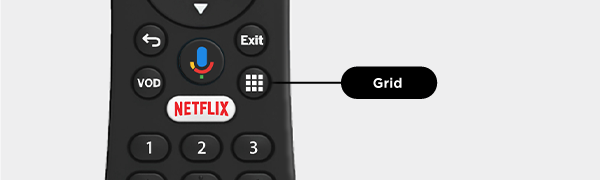
Press the Grid button on your remote to go to Apps & Games. If you're on the Home screen, press 5 on your remote or use the right arrow button to go to Apps & Games in the Navigation Bar.
Some apps will come automatically downloaded to your MidcoTV. These include:
- Apple TV+
- Disney+
- ESPN+
- Freeyee
- Google Play Store
- Google Play Movies & TV
- Google Play Games
- Google Play Music
- Midco Sports Plus
- Max
- Netflix®
- Paramount+
- Peacock
- Plex
- PlutoTV
- Prime Video
- Spotify
- TubiTV
- YouTube
- YouTube Kids
- Vudu
To download more apps, select the Google Play Store. Search for the app you want to add to your box and download it. If you want to download games, select Google Play Games.
Note: You must be signed into your Google account to download apps. A third-party monthly subscription is required to access some apps.
All logos are property of their respective corporations or entities. Use of these logos does not constitute an endorsement by the entities of Midco’s products or services. The respective companies retain trademark and registered trademark ownership for those referenced items.
